Acrobat Flight Ops
Crew Records Quote Ops Crew Management

Horizontal Demo
The program creates a progress bar in the box below then pops a separate window once the data has been loaded. 


The program is 50KB and should take no more than 15 seconds to download over a 56K modem. The data is also 50KB but can take another 30 seconds to load due to the processing involved.

Java Requirements
Our demo is written as a Java applet. This is a program that runs as part of a web page on a Java enabled browser. If you don't see text in the box above, you need to install the Sun Java Plug-in and enable it for your browser. At least version 1.3.1 is required for our programs, this is also the last version that supports Windows 95.

Overview
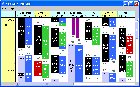
Sectors are depicted as pairs of rectangles:  scheduled/rescheduled times on top with estimated/actual times below. Punctuality is highlighted by the colour of the lower rectangle. Maintenance is shown as single or double stripes depending on if it was planned. Aircraft registrations with operational defects are highlighted in red.

You can scroll horizontally and vertically to see a total of 25 aircraft for one day. You can click within sector rectangles, maintenance stripes and aircraft registrations for detailed information. 

Vertical Demo
Vertical Demo


Copyright © Acrobatico Limited 2008